Final Portfolio: Katie W
Throughout the course I have learned so much about multimedia education and I am grateful for the opportunity to have participated throughout the semester. Here is my final portfolio:
Learning Outcomes:
- Contextualize how learning informs interactive and multimedia experiences.
Learning guides interactive and multimedia experiences as it challenges us to try new things. Throughout the course I participated in daily creations each week. These activities gave me the time and space to do things I had never done before without the stress of making them “perfect”. For example, during week 2: audio (Daily Creates 2: Audio – Katie Winchester- EDCI 337) the second prompt had me play guitar while the application listened and turned the sounds my guitar made into art. This was the first time I had ever done anything like this and I don’t think it is something I would have done outside of this course.
- Apply multimedia design principles in planning your educational resources.
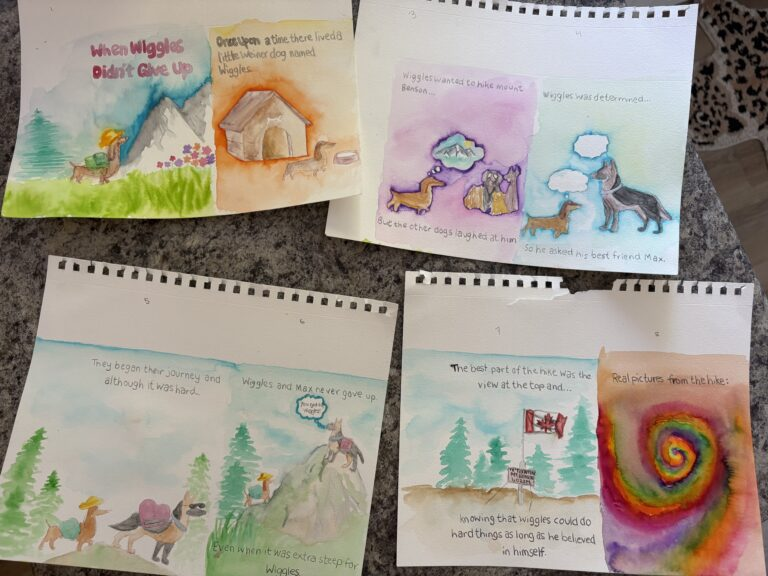
While creating my multimedia story I used Mayer’s Principles of Multimedia Learning to create my multimedia story. I focused mainly on the principles of redundancy, coherence, signaling, and contiguity. As I mentioned in my multimedia story blog post, incorporating “the different inclusions of multimedia including audio, visuals, and text to flow together and avoid causing “extraneous cognitive load”. These principles helped me to improve my multimedia story and create an education resource that showcased my ability to use different multimedia’s and combine them together seamlessly.
- Engage in design thinking to create multimedia learning projects.
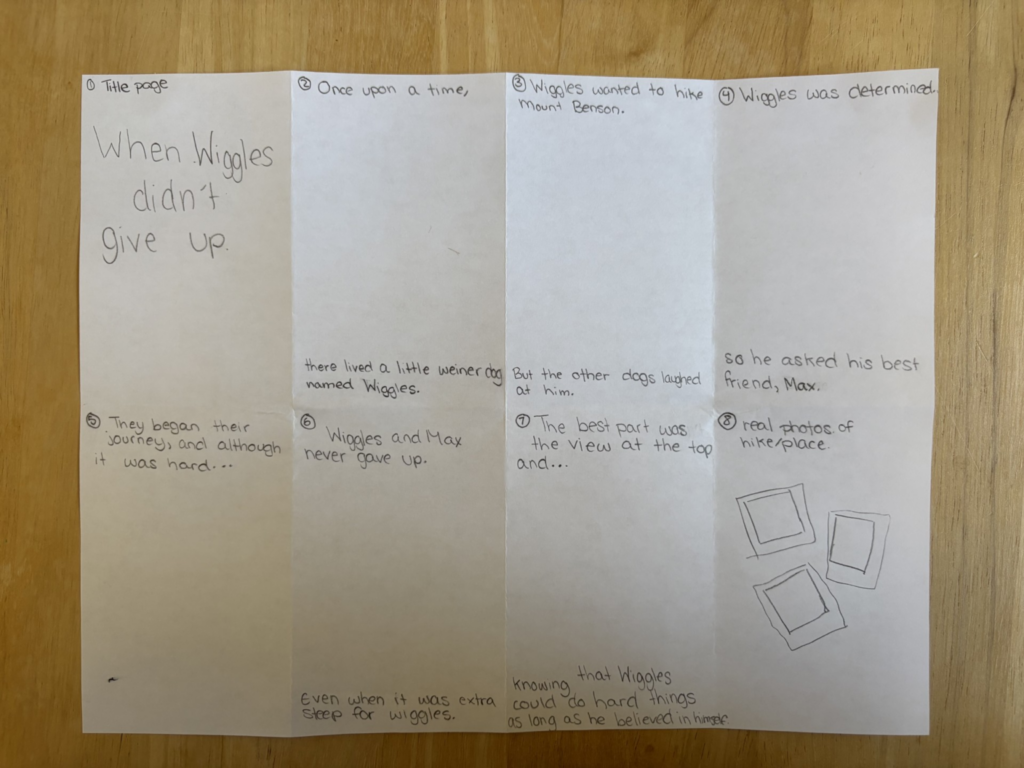
While creating my multimedia story, I incorporated different forms of multimedia to document my process. I created a rough draft. I included images along the way and even a video of one of the watercolor paintings to go with the write up to make it engaging for viewers and help readers visualize the actual creative process and behind the scenes work that went into my multimedia story.
- Apply storytelling principles in creating effective learning opportunities.
When creating my multimedia story draft I watched the you tube video from the storytelling section under the multimedia story draft guideline sections “Give me 9min, and I’ll improve your storytelling skills by 176%” by Philipp Humm’s. I tried to focus on the video’s key 5 techniques of stating the location to help viewers visualize without overwhelming them, using actions to avoid random bits of overloading information, thoughts, emotions, and dialogue. From the beginning I made sure readers knew the story was about hiking Mount Benson, I kept my sentences brief and tried to use actions to prevent overloading readers, I used thought bubbles to show the characters thoughts several times, I incorporated emotions into the story so that readers would be rooting for wiggles to succeed in his adventure, and included dialogue through conversation between the two main characters. These were all used to help create an effective learning opportunity for myself as I think incorporating these into my story helped me make my story better.
- Describe and apply principles of effective interactive multimedia design.
I quoted this in my blog post 6, Kat Holmes said in her book Mismatch: How Inclusion Shapes Design “Disability is a mismatch between a person’s abilities and their environment” (Holmes, 2018), and in the moment I was discussing data visualization. However, I think it applies to effective multimedia design as well. By creating multimedia options for students we are giving them the chance to have a voice in their environment. There are so many different ways in which each individual learns so it is important to give them the space to do so. Someone who may really enjoy writing their assignments out may struggle with a more hands on approach and vice versa. I think if a student is able to demonstrate their learning we should focus less on how the information is being delivered and instead focus on the actual information itself by giving students a choice.
- Generate a variety of prototype artifacts including: comics, videos, and web pages.
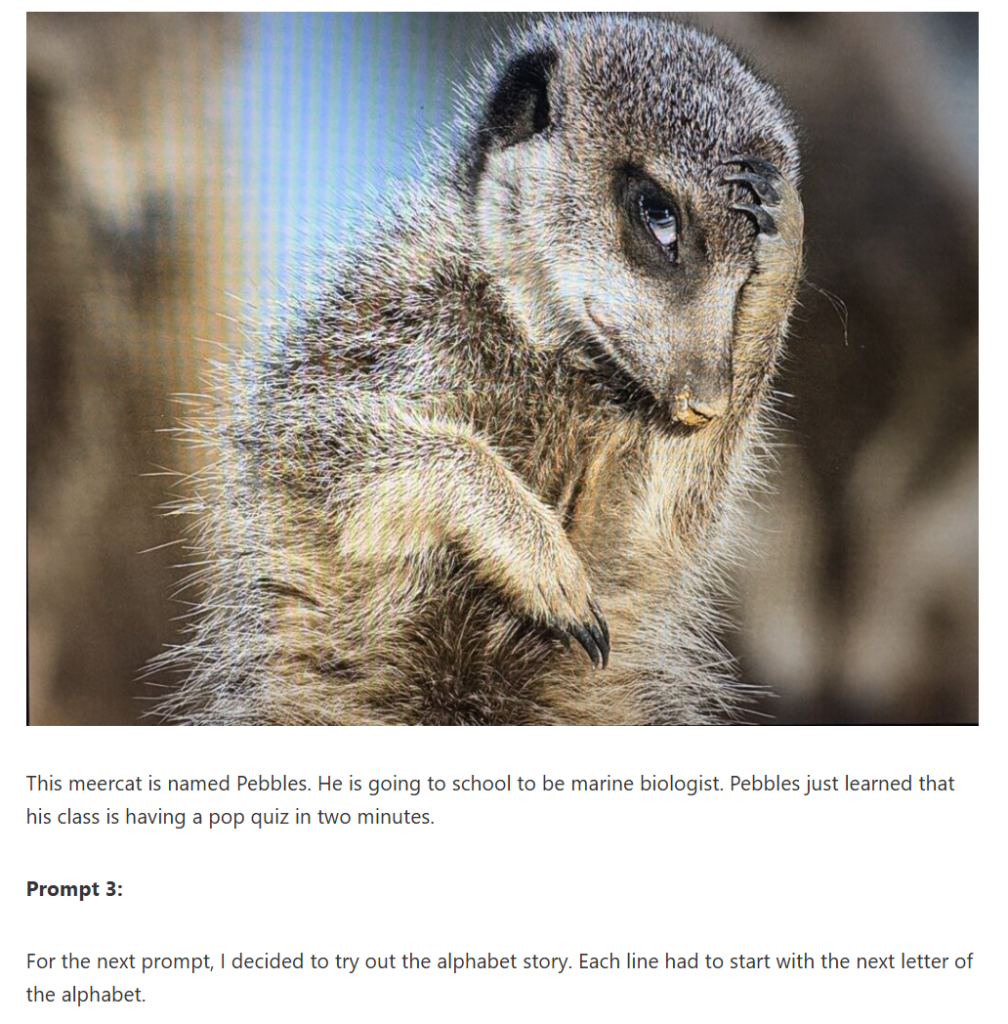
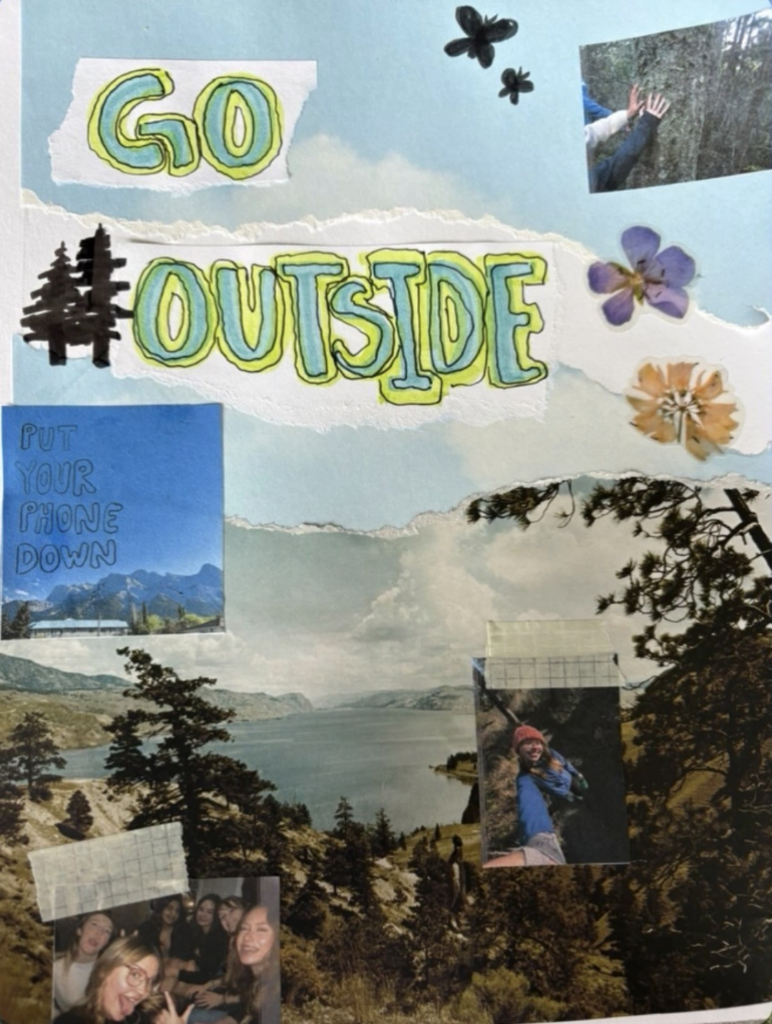
Throughout this course I created a variety of prototype artifacts such as drawings, photos, videos, audios, and even a collage. These are all showcased through my weekly participation in the daily creates and the process of creating my multimedia story but here are some of my favourites:
- Use GenAI appropriately as a tool to support creative activities. (NOTE: ‘Appropriate GenAI use’ might be refusing to use GenAI.)
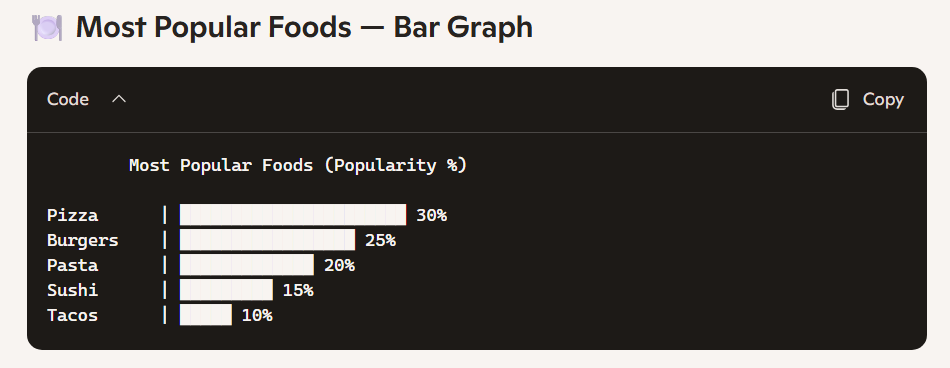
For the most part, during this course I avoided the use of AI. However, in my last daily creates posts for data visualization, I decided to ask AI to generate a bar graph on the most popular foods just out of curiosity. As someone who typically avoids any AI use I found it interesting to see how quickly it generated the graph for me. Although it left me wondering how accurate the information was and how it would compare to a graph made by a real person who has done many hours of research on the topics.
Challenges:
One thing I found challenging during this course was the idea from the text/image education competency section that discussed that “while text and image recruit different neural pathways, the combination of text and image does not always lead to better learning”. I originally struggled with this topic as the previous section dove into how text visuals benefit learning so the idea that it could negatively affect learning caught me off guard. I think the best way I worked through this idea was to play around with text and images and not when it felt like it was “too much” or when it was easy to look at and understand.
Moving Forward:
My learning throughout this course from beginning to end is something that I will take with me throughout the rest of my education and future career as a teacher. I found the topics extremely beneficial and even created a little “toolbox” (word document) with the daily created prompts that I tried out so that I can use them with future classrooms if given the opportunity. I think it is extremely valuable to use a multimedia style when it comes to both teaching and allowing students to test out for themselves to give them a voice in their education. I think learning about multimedia has improved my ability to become a better teacher. I am continuing to learn new things and even during this course I found myself using more multimedia approaches when it came to completing assignments for other classes to make them more engaging.
References:
Daily Creates 2: Audio – Katie Winchester- EDCI 337
Mismatch: How Inclusion Shapes Design | Books Gateway | MIT Press
Principles of Multimedia Learning – Center for Teaching and Learning | Risepoint
Text and Image: the sum is greater than its parts – EDCI 337